
AI agents for restaurants: A manager that never clocks out.
OnaPOS’s AI assistant works like a manager who knows your whole restaurant. Hand it a task in your own words and it gets it done, always after you confirm. It lives in Ona Manager.
- Included in the price
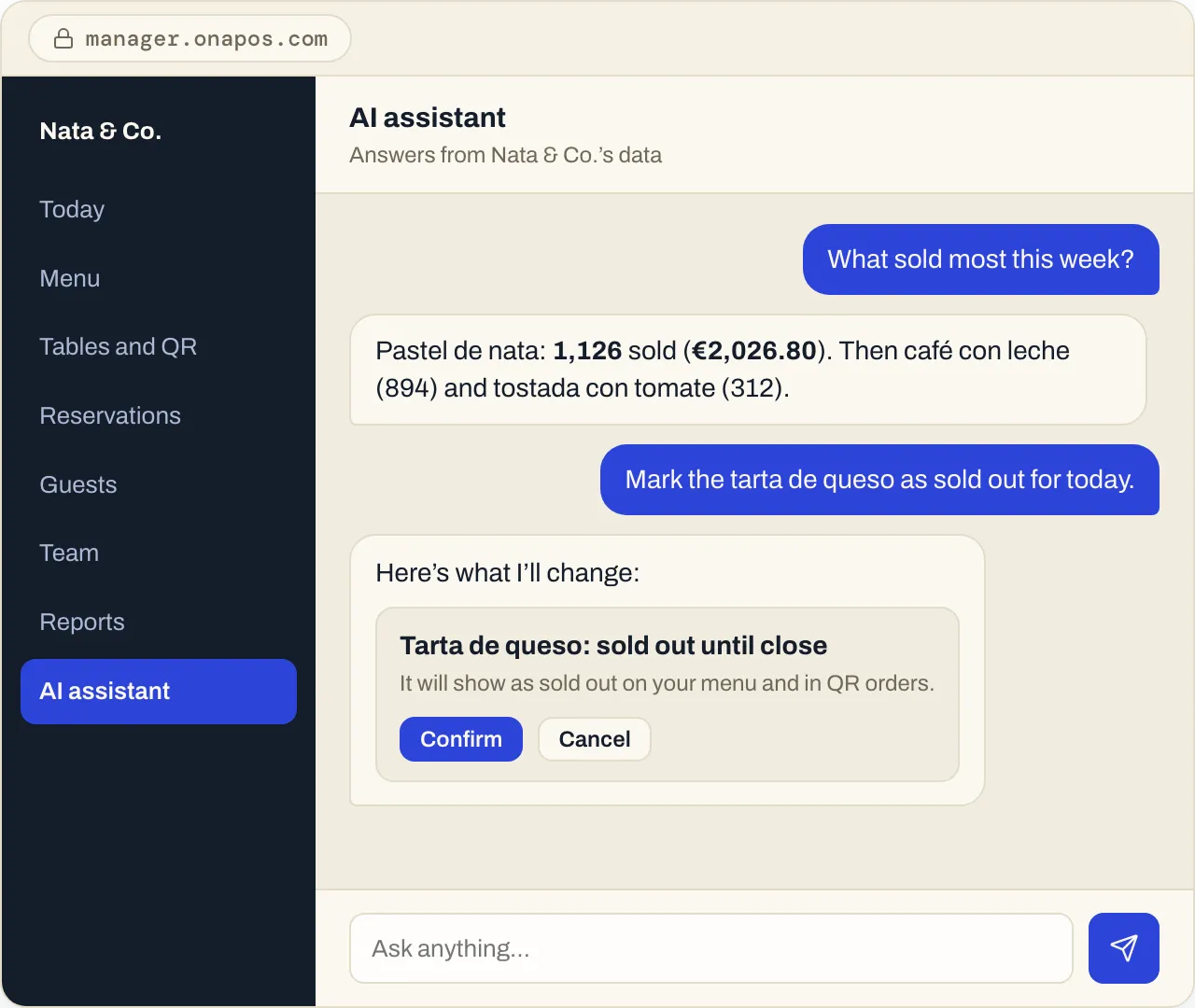
What it knows
It knows every corner of your restaurant.
Everything that runs on OnaPOS: sales, menu, bookings, guests and your team’s hours. Brief it in your own words, in any language, and it reports back.
Sales
- “How did Saturday compare with last Saturday?”
- “What was the average tab at Friday dinner?”
- “How much was paid by card yesterday?”
Menu
- “Which dish sold most this month?”
- “Which desserts sold least this week?”
- “Which dishes are sold out right now?”
Bookings and guests
- “How many bookings do we have for lunch tomorrow?”
- “How many no-shows did we have in September?”
- “Which guests have come more than five times this year?”
Team
- “How many hours did the team work last week?”
- “Who’s working Saturday night?”
It does the work
Hand it over. Check. Confirm.
Like a good manager, it gets things done in your restaurant, and never without your OK.
- 01
Hand it over
“Mark the tarta de queso as sold out for today.”
- 02
Check
The assistant shows you exactly what will change and where it will show.
- 03
Confirm
Nothing changes until you tap Confirm. Every change is logged with who asked for it and when.
What you can change by chat:
- Sold-out dishes
- Prices
- Names and descriptions
- Categories
- Hours
- Tables
- Booking slots
Trust
Numbers you can trust.
Sales come from the same records as your OnaPOS Z report: the same totals, to the cent.* And if a question can’t be answered from your data, it tells you instead of guessing.
*Sales recorded in OnaPOS, for a closed day.
- Only your dataThe assistant only sees your restaurant’s data.
- Masked phone numbersYour guests’ phone numbers stay hidden, from the assistant too.
- Everything loggedEvery change, with who asked for it and when.
FAQ
About the AI assistant.
Is it included in the price?
Yes. It comes with the same fee per location, at no extra cost.
Can it change anything without me knowing?
No. It shows you every change first and only applies it when you confirm.
Which languages does it speak?
It answers in the language you write in.
Where do I use it?
In Ona Manager, from any browser.
Try it with your own data.
Create your account and hand it your first task, or talk to us and we’ll show you.
One price, every feature · No minimum term · AI assistant included