Switch restaurant POS: Switch POS without starting over.
We bring over your menu, prices, hours, tables and team from your current POS. You check everything before it goes live, and there’s no minimum term.
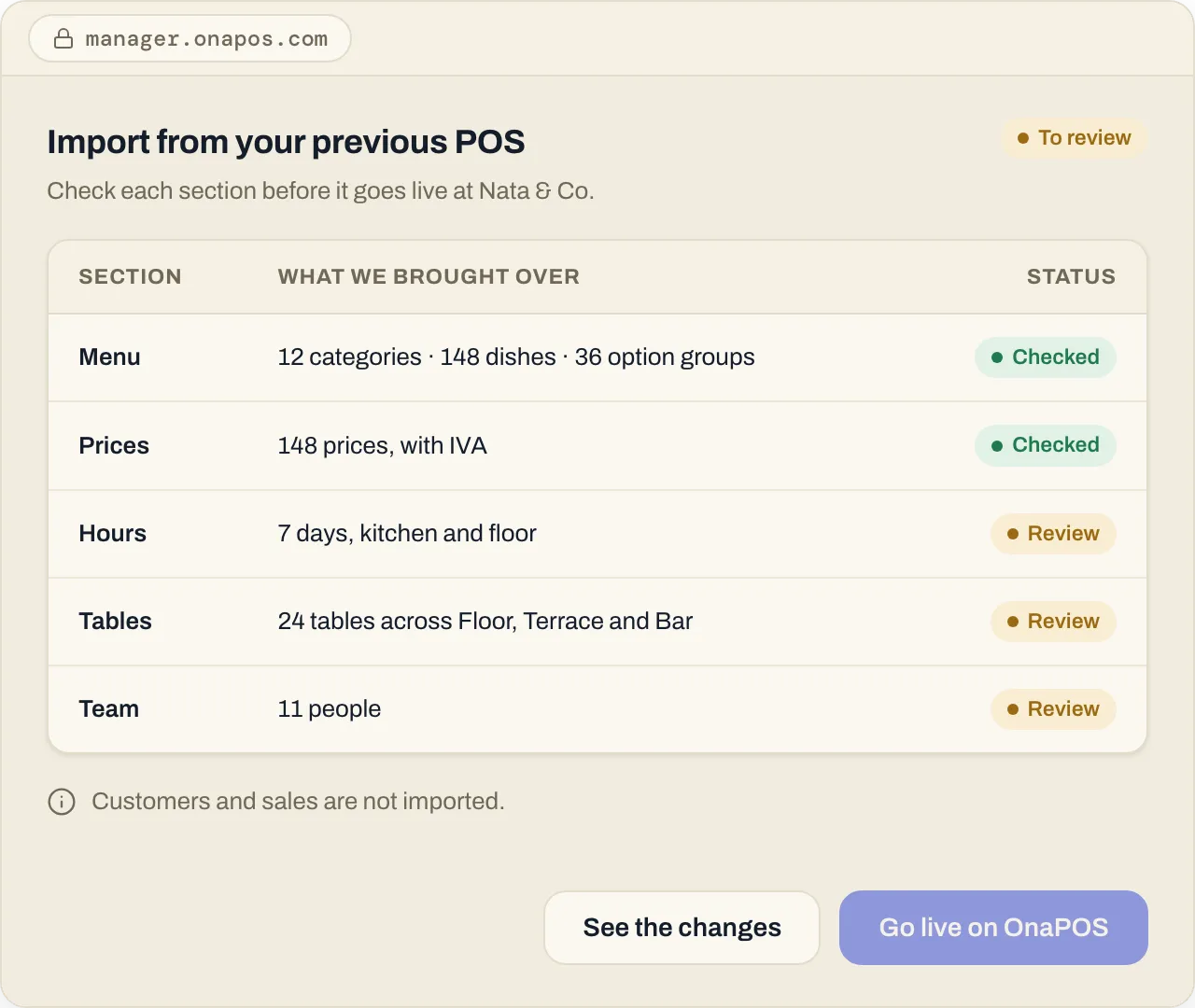
What we bring over
- Your menu, with categories and options
- Prices
- Hours
- Tables
- Your team
What we don’t bring over
- Your customers or their data
- Your sales history
Your guest profiles fill up with every booking and every visit in OnaPOS.
Where from
From your POS or from the web.
From any system you use now, and from your restaurant’s public pages on delivery platforms.
How it works
Four steps, on your schedule.
- 01
You give us access
With your authorisation, once, through a secure form. Your passwords never go through chat.
- 02
We bring it over
We import your menu, prices, hours, tables and team.
- 03
You check it
You see everything in Ona Manager and fix anything you like before it goes live.
- 04
You start
You go live on OnaPOS when your team is ready.
Two ways to start
Do it yourself, or we set it up.
Do it yourself
Create your account, import your menu and set up OnaPOS at your own pace.
Create accountEither way, one monthly fee per location and no minimum term. Devices and printers aren’t included: use your own or buy them from us.
FAQ
About switching.
What about my customers?
We don’t import them. Your guest profiles fill up with every booking and every visit in OnaPOS.
How do I give you access?
Through a secure form, once. Your passwords never go through chat.
Do I need new devices?
No: it works on the phones, tablets and computers you already have, even older ones. If you need devices or a kitchen printer, we can sell them to you.
What if I want to leave later?
There’s no minimum term. You pay month to month and can cancel whenever you like.
Bring your menu to OnaPOS.
Create your account and start the import, or talk to us and we’ll do it with you.