
QR code ordering and digital menu: Let them order from the table.
Guests see your branded menu, get answers from Ask Ona and order from the table or the counter. Orders land on their tab and are paid as usual.
Your menu
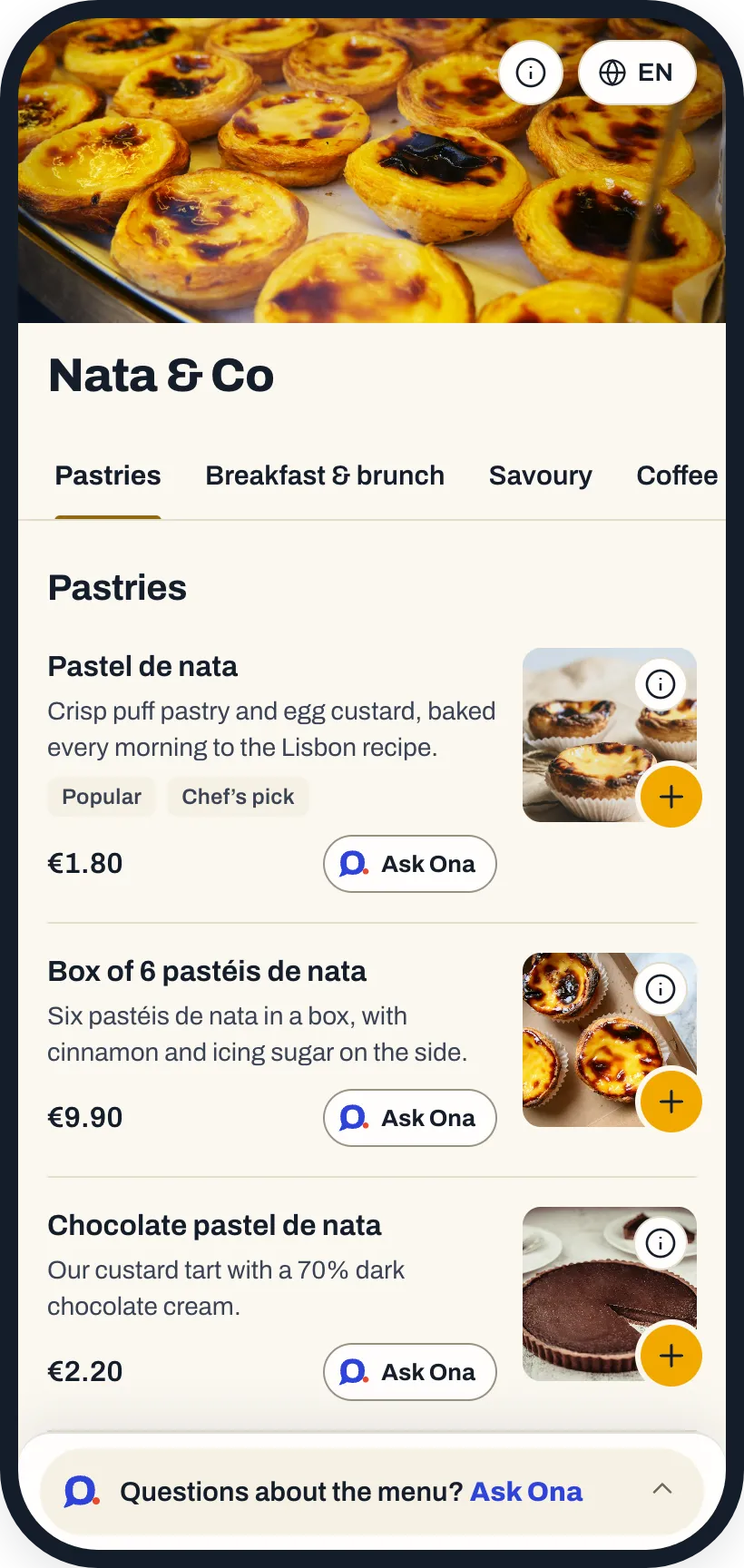
Your menu, your brand.
A menu page with your logo, your photo and your colour, at menu.onapos.com. With allergens, spice levels, badges and sold-out dishes greyed out, in each guest’s language.
Plus a view-only menu link to share wherever you like.
QR ordering
At the table or the counter.
Table QR
Guests order from their phone and the order goes on their table’s tab. They can also call a waiter or ask for the bill. Nobody pays on the phone.
Counter QR
Guests order from their phone and pay at the counter, as usual.
You decide
Hold QR orders until your team approves them in the OnaPOS app.

Your best salesperson at every table.
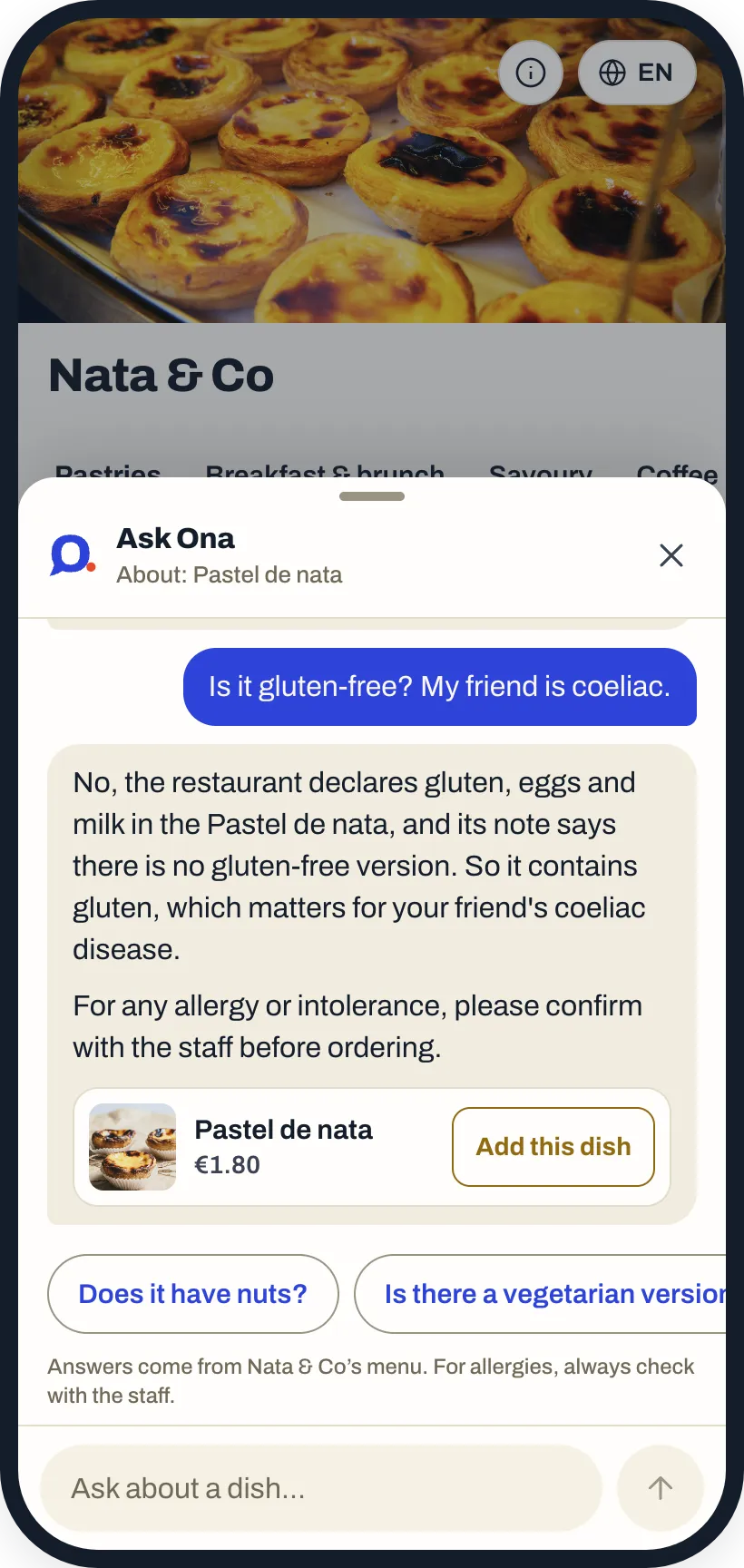
Ona works like your best waiter: it recommends dishes and what goes well together, and answers guests’ questions in their language. On allergens, it only repeats what you entered; otherwise it sends guests to your staff.
Ask Ona is an AI assistant. Included in your fee.
- What do you recommend for brunch?
- The eggs Benedict are a favourite here. With a fresh orange juice, and a pastel de nata to finish, that’s the perfect brunch.
- Does the pastel de nata contain gluten?
- Yes: it’s made with wheat flour, egg and milk. If you have an allergy, please check with the staff.
Google reviews
After the visit, guests get an invitation to leave a Google review.
FAQ
About the menu and QR ordering.
Do guests pay on their phone?
No. At a table, the order goes on their tab and is paid as usual, by card on your terminal or in cash. At the counter, they pay when they order.
Do you charge per order?
No. QR orders are included in your fee, with no per-order charges.
What if a dish sells out?
Mark it sold out in Ona Manager or hand it to the AI assistant: it shows greyed out on the menu.
Which languages is the menu in?
8 languages. Each guest picks their own.
Ready to start?
Create your account and set it up at your own pace, or talk to us and we’ll set it up with you.
One price, every feature · No minimum term · AI assistant included