QR ordering alternatives: QR orders that land on the table’s tab.
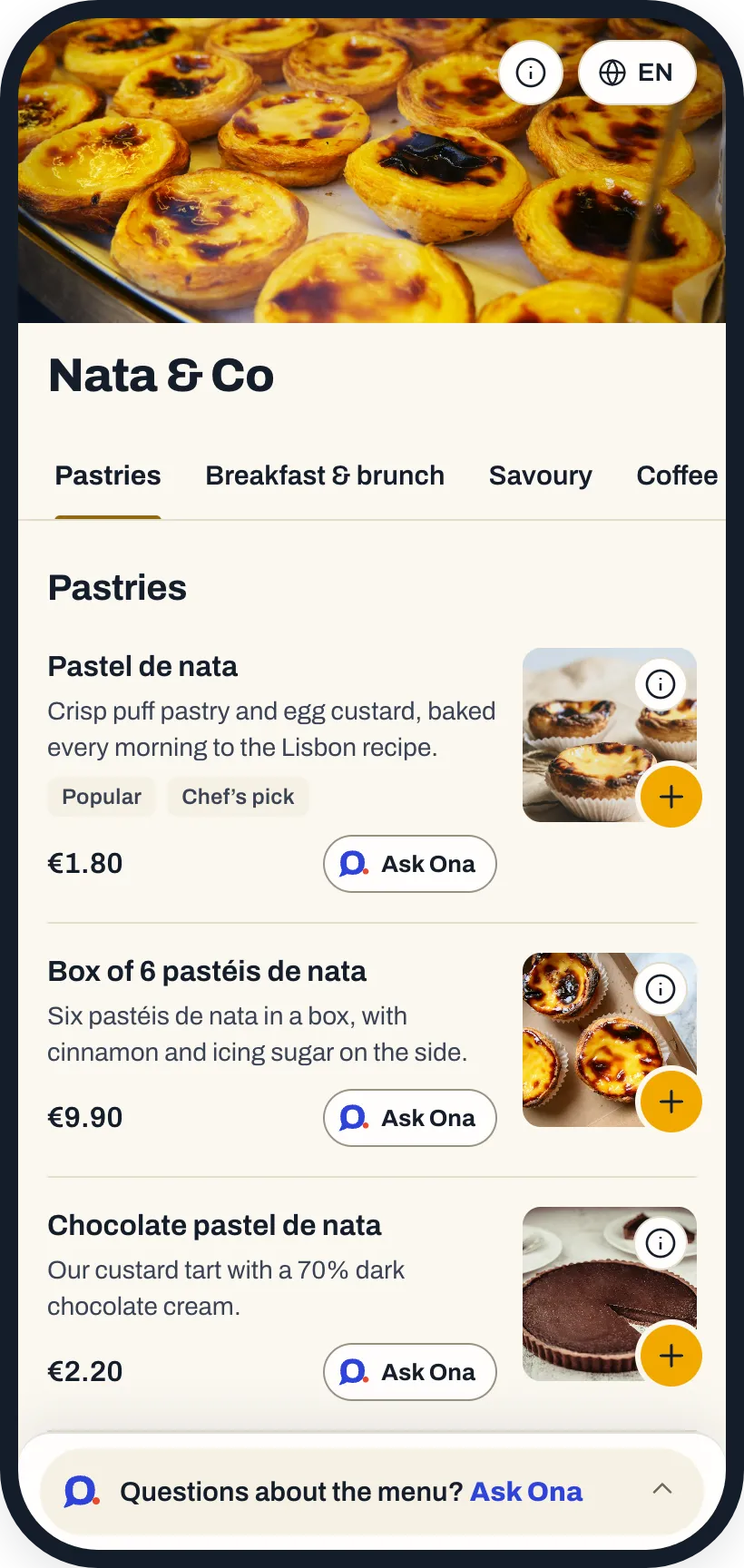
sunday, me&u, Storekit and Yoello are QR ordering tools for hospitality. In OnaPOS, QR ordering is part of the POS: orders go straight onto the table’s tab, and Ask Ona recommends dishes and answers guests’ questions.
- No per-order charges
- 8 languages
Tools you may be comparing
The QR tools restaurants often compare.
In one line each, from their own websites:
sunday
A QR platform for restaurants built around payments, with ordering, review tools and AI features such as a personalised menu.
me&u
QR ordering and payments for food halls, pubs, bars and restaurants, with a hybrid option for orders taken by staff.
Storekit
One ordering platform for pickup, delivery, kiosks and QR ordering, with digital tabs, working with your POS.
Yoello
Mobile ordering and payment technology for hospitality, with order at table, click and collect, and POS integrations.
Descriptions are based on each company’s own website, checked in October 2026. Product names and trademarks belong to their owners; OnaPOS isn’t affiliated with them.
Why OnaPOS
What changes with OnaPOS.
Straight to the tab
QR orders land on the table’s tab in the OnaPOS app, with no integration to connect.
Ask Ona on every dish
Ona recommends dishes and what goes well together, and answers guests’ questions in their language.
You decide
Hold QR orders until your team approves them in the OnaPOS app.
Guests pay as usual
At the table or the counter, by card or cash, on your usual terminal.
No per-order charges
QR ordering is included in your monthly fee.
Directly with us
No distributors in between: setup and support come from the team that builds OnaPOS.
All in OnaPOS
Everything in one system.
One monthly fee per location covers all of it, with no add-ons, no per-order or per-guest charges and no minimum term.
- POS on any device: the OnaPOS app on the phones and tablets you already have.
- Ona Manager: menu, team, tables and reports in any browser.
- QR ordering and digital menu: orders land on the table’s tab.
- Reservations: a booking link in 8 languages.
- Guest CRM: new and returning guests, spend, reviews and notes.
- Scheduling: weekly schedules, PIN clock-in and timesheets.
- Kitchen printing: each dish at its station, in the kitchen’s language.
- AI assistant: works across all of it, and makes changes once you confirm.
FAQ
About QR ordering in OnaPOS.
Do guests pay on their phone?
No. At a table, the order goes on their tab and is paid as usual. At the counter, they pay when they order.
Do you charge per order?
No. QR orders are included in your fee, with no per-order charges.
Which languages is the menu in?
8 languages. Each guest picks their own.
What if a dish sells out?
Mark it sold out in Ona Manager or hand it to the AI assistant: it shows greyed out on the menu.
Ready to start?
Create your account and set it up at your own pace, or talk to us and we’ll set it up with you.
One price, every feature · No minimum term · AI assistant included