Restaurant POS alternatives: A POS that already includes the rest.
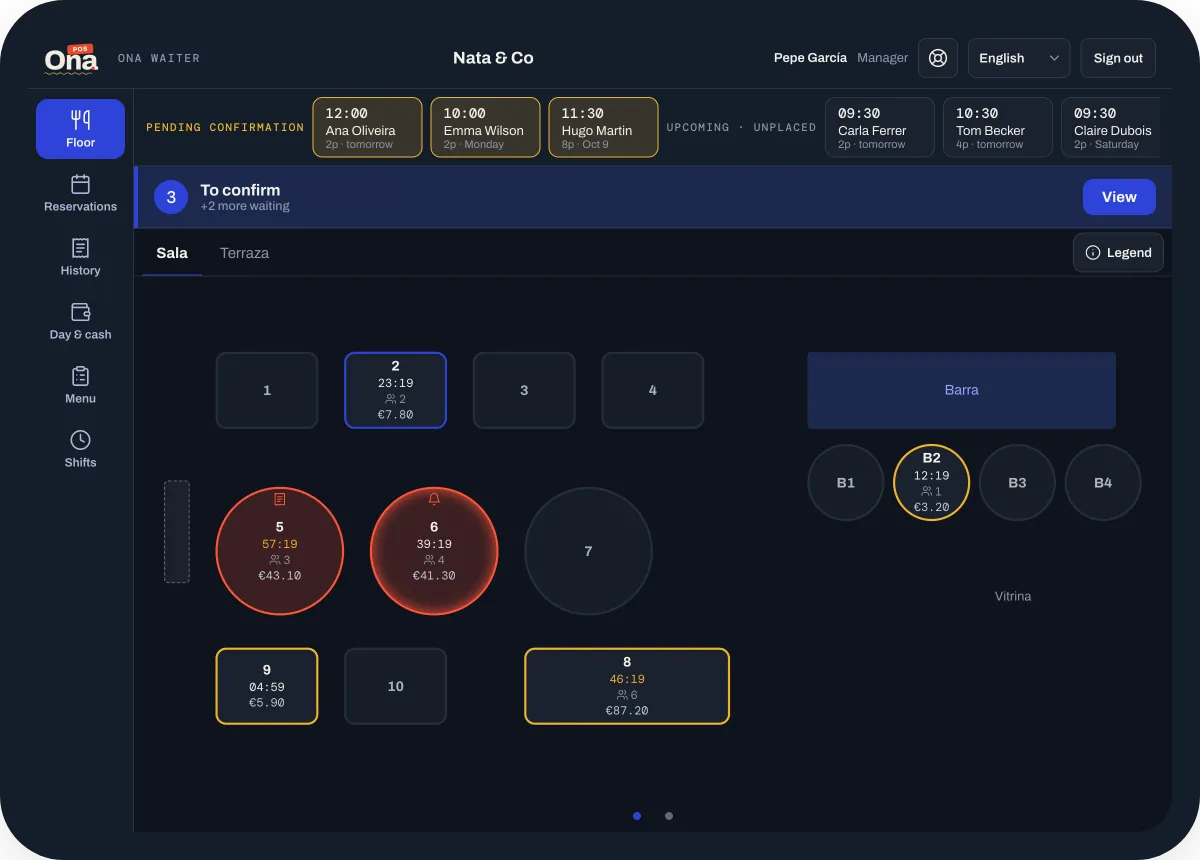
Toast, Square, Lightspeed, Epos Now and Zonal are established POS systems for restaurants and hospitality. OnaPOS is one system for the POS, bookings, guest CRM, QR ordering and your team’s schedule, with an AI assistant built in.
- Any phone or tablet
- No distributors
Tools you may be comparing
The POS systems restaurants often compare.
In one line each, from their own websites:
Toast
A restaurant platform that brings point of sale, payments, online ordering, payroll and reporting together.
Square for Restaurants
A restaurant POS with built-in payments, self-service kiosks, online ordering for click and collect or delivery, and team management.
Lightspeed Restaurant
An ePOS and payments platform for restaurants, with reservations, staff management, online and QR ordering, and AI insights.
Epos Now
A cloud POS for hospitality and retail, with table management, order and pay, and an app store of integrations such as OpenTable and Deputy.
Zonal
EPOS for multi-site hospitality groups, with online ordering, bookings and a guest CRM among its products.
Descriptions are based on each company’s own website, checked in October 2026. Product names and trademarks belong to their owners; OnaPOS isn’t affiliated with them.
Why OnaPOS
What changes with OnaPOS.
Everything in one system
POS, bookings, guest CRM, QR ordering, scheduling and kitchen printing are one system, not separate apps to connect.
One fee, every feature
No tiers, add-ons or per-order charges: every feature is in the monthly fee per location.
An AI assistant that acts
It knows your sales, menu, bookings, guests and team, and makes changes once you confirm.
Any phone or tablet
Use the devices you already have, even older ones. Waiters can use their own phones.
Directly with us
No distributors in between: setup and support come from the team that builds OnaPOS.
8 languages
Your team, your kitchen tickets and your guests, each in their own language.
All in OnaPOS
Everything in one system.
One monthly fee per location covers all of it, with no add-ons, no per-order or per-guest charges and no minimum term.
Switching from another POS?
We can bring over your menu, prices, hours, tables and team from any system, and you check everything before it goes live.
How switching works- POS on any device: the OnaPOS app on the phones and tablets you already have.
- Ona Manager: menu, team, tables and reports in any browser.
- QR ordering and digital menu: orders land on the table’s tab.
- Reservations: a booking link in 8 languages.
- Guest CRM: new and returning guests, spend, reviews and notes.
- Scheduling: weekly schedules, PIN clock-in and timesheets.
- Kitchen printing: each dish at its station, in the kitchen’s language.
- AI assistant: works across all of it, and makes changes once you confirm.
FAQ
About switching POS.
Can I keep my card terminal?
Yes. Keep taking cards on your usual terminal, and OnaPOS records how each bill was paid.
Do I need new hardware?
No. OnaPOS runs on the phones, tablets and computers you already have. If you need a device or a kitchen printer, we can sell you one.
Can I bring my menu over from my current POS?
Yes. With your permission, we bring over your menu, prices, hours, tables and team. We don’t import customers or sales.
Is there a minimum term?
No. You pay month to month and can cancel whenever you like.
Ready to start?
Create your account and set it up at your own pace, or talk to us and we’ll set it up with you.
One price, every feature · No minimum term · AI assistant included